
Category: REAPER 101
-

REAPER Media Explorer Beginner Tutorial
A basic overview of REAPER’s Media Explorer window. Learn the essentials of this powerful tool for music and audio post-production.
-
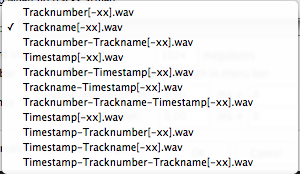
REAPER 101: File Management
In order to keep your projects nice and organized, REAPER requires some configuration. Follow these steps as soon as possible after installing.
-
REAPER 101: Auto Backup Setup
Video tutorial: how to set up autobackups in REAPER.
-
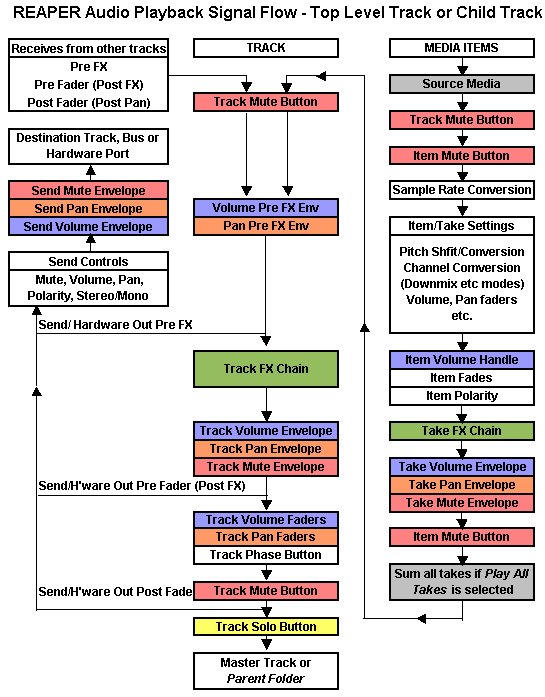
Audio Signal Flow in REAPER
This graphic shows the signal flow of audio through REAPER.
-
REAPER 101: Mixer Control Panel
Explaining the various buttons and options of the Mixer Control Panel in REAPER
-
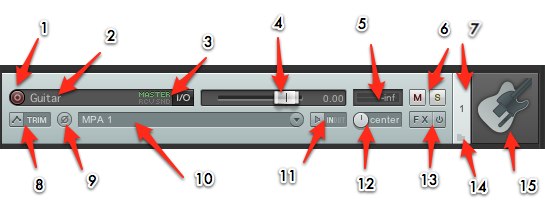
REAPER 101: The Track Control Panel
REAPER 101 is a series of short articles to help beginners get started with REAPER quickly. This tutorial will explain the various buttons and options of the Track Control Panel.
-
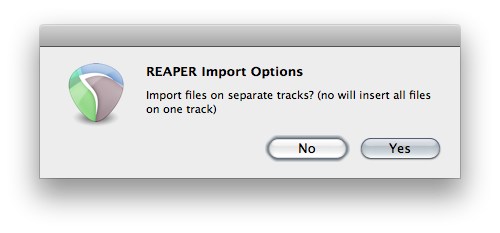
REAPER 101: Importing Multiple Audio Files
REAPER 101 is a series of short articles to help beginners get started with REAPER quickly. This tutorial will show you how to import multiple audio files into REAPER. The simplest way to import audio into REAPER is by dragging the files in from Windows Explorer/OSX Finder. You can also use the “Import Media…” command…
-
REAPER 101: Making Selections
REAPER 101 is a series of short articles to help beginners get started with REAPER quickly. This tutorial will demonstrate how to make track, time, item and MIDI selections. This is one of the fundamentals of working in REAPER. Track Selection Tracks are selected simply by clicking on any space in the track control panel…
-
REAPER 101: REAPER Windows
REAPER 101 is a series of short articles to help beginners get started with REAPER quickly. In this article I will show you the most used elements of the REAPER interface. Click on any image to enlarge. Further detail of each panel and window will come in future articles.
-
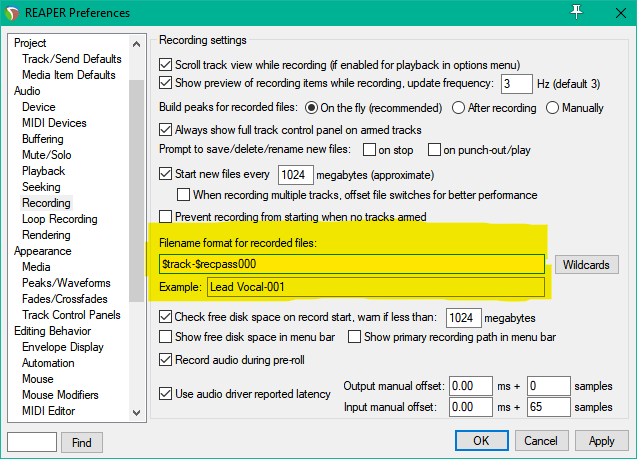
REAPER 101: File Names
How to configure file names for recorded items in REAPER
-
REAPER 101: Peaks Folder
What the heck are peak files and why are they everywhere since installing REAPER? This tutorial will show you how to set up the alternate peak cache folder.
-
REAPER 101: Media Files Folder
REAPER 101 is a series of short tutorials to help you with setting up and using REAPER. To kick off the series, here is one to keep your projects neatly organized. By default REAPER projects do not use a media folder. All your audio files, project files, backups, and peaks are saved in one folder…